 Big
Big Text messages from Big Moments
Big Moments Company plans dates for couples at bigmomentscompany.com: date plans every month, getaways, proposals and the keepsakes that come out of them. Members can choose to get text messages from us. This page explains what we send, how someone signs up, and how to stop.
Who sends them
Texts come from Big Moments Company, a trading name of Pop the Q LLC in Pittsburgh, Pennsylvania, and are sent from +1 (570) 791-9299. Every text starts with “Big Moments:”.
What we send
- Keepsake questions during a Go date. When a couple starts “Go on a date” in their account, we text 2 to 4 short questions over the evening. They answer by texting back a few words, a photo or a voice note, and we save it to that date’s private keepsake.
- Reminders about their own plans: an upcoming planned date, a Go date about to start, and a heads-up before their anniversary or their partner’s birthday.
- One confirmation text after signing up, and a short reply when we save something they sent.
We never send marketing or promotional texts.
How members opt in
Texts are only for signed-in members who ask for them. Nobody is signed up by buying something, by filling in another form, or from a list.
- The member signs in at bigmomentscompany.com and opens Settings. Under Text messages they enter their mobile number. The Go date screen has the same form behind a “Text them to me instead” button.
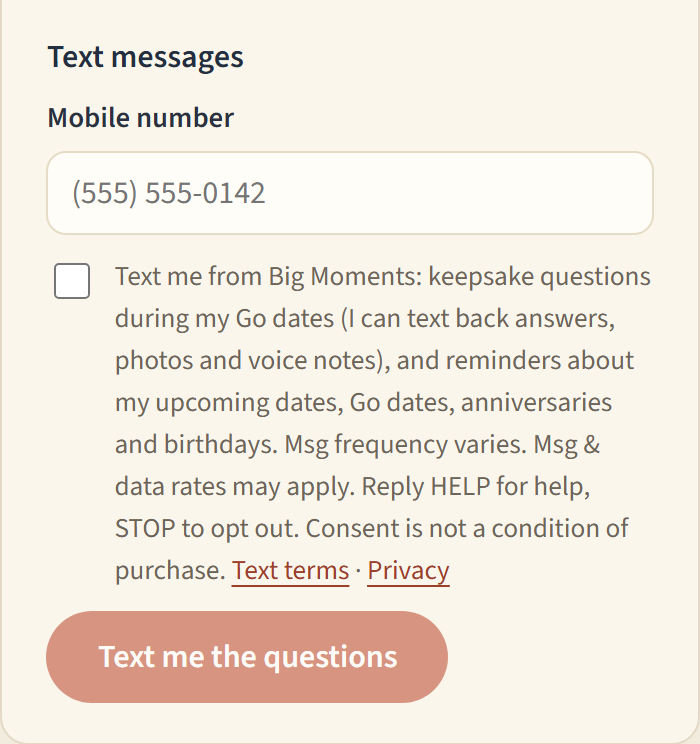
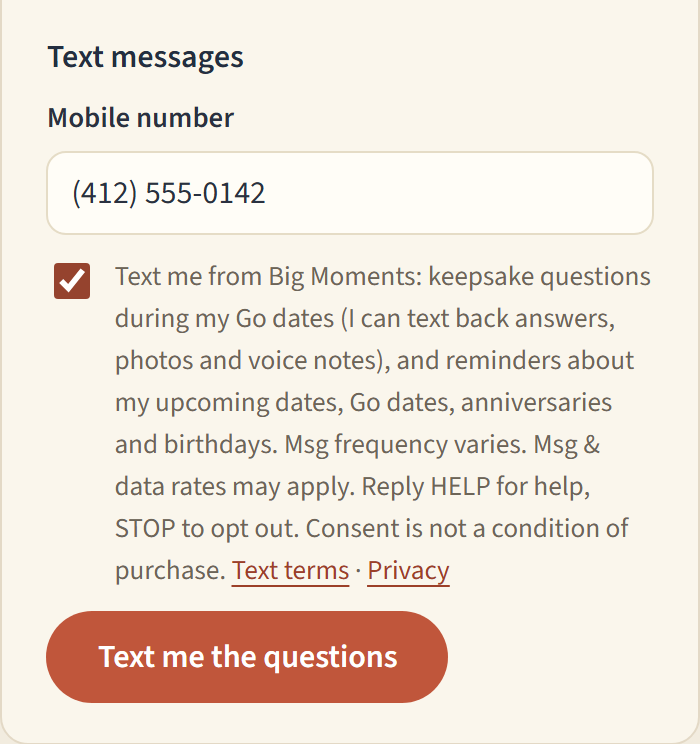
- They tick the consent box. It is never ticked for them, and the save button stays off until it is. The words beside the box are:
Text me from Big Moments: keepsake questions during my Go dates (I can text back answers, photos and voice notes), and reminders about my upcoming dates, Go dates, anniversaries and birthdays. Msg frequency varies. Msg & data rates may apply. Reply HELP for help, STOP to opt out. Consent is not a condition of purchase. Text terms · Privacy
- They tap Text me the questions. We store the number, the time, and the exact wording they agreed to, then send one confirmation:
Big Moments: You're set to get keepsake questions during your Go dates and reminders about your dates by text. Msg frequency varies. Msg & data rates may apply. Reply HELP for help, STOP to opt out.
The form in Settings, as a signed-in member sees it:
Sample messages
Big Moments: Question 1 of 3. What was the first thing you noticed about each other tonight? Reply with a line, a photo or a voice note. Reply STOP to opt out.
Big Moments: Saved to tonight's keepsake.
Big Moments: Reminder, your date night is tomorrow at 7pm. Your plan: https://www.bigmomentscompany.com/app. Reply STOP to opt out.
Big Moments: Your Go date starts in 30 minutes. Open it here: https://www.bigmomentscompany.com/app/go
Big Moments: Your anniversary is a week from Saturday. Want a plan for it? https://www.bigmomentscompany.com/app. Reply STOP to opt out.
Big Moments: keepsake questions and date reminders. Reply to a question with words, a photo or a voice note. Help: questions@bigmomentscompany.com. Reply STOP to opt out.
How often, what it costs, and how to stop
- Message frequency varies with how many dates a couple plans: usually 2 to 4 questions per Go date, a reminder before each planned date and important day, one confirmation at sign-up, and a short reply when we save something.
- Message and data rates may apply.
- Reply STOP to any text to opt out. We confirm once and send nothing more. Reply START to opt back in.
- Reply HELP for help, or email questions@bigmomentscompany.com.
- Members can also turn texts off in Settings at any time.
- Texts go to US and Canadian mobile numbers. Carriers are not liable for delayed or undelivered messages.
Your phone number
We use a member’s number only to send the texts they asked for and to match their replies to their keepsake. We do not sell, rent or share mobile numbers, and no mobile information is shared with third parties or affiliates for marketing or promotional purposes. Opt-in data and consent are never shared with third parties. The full terms are in our Terms of Service and Privacy Policy.